 Tend Fast
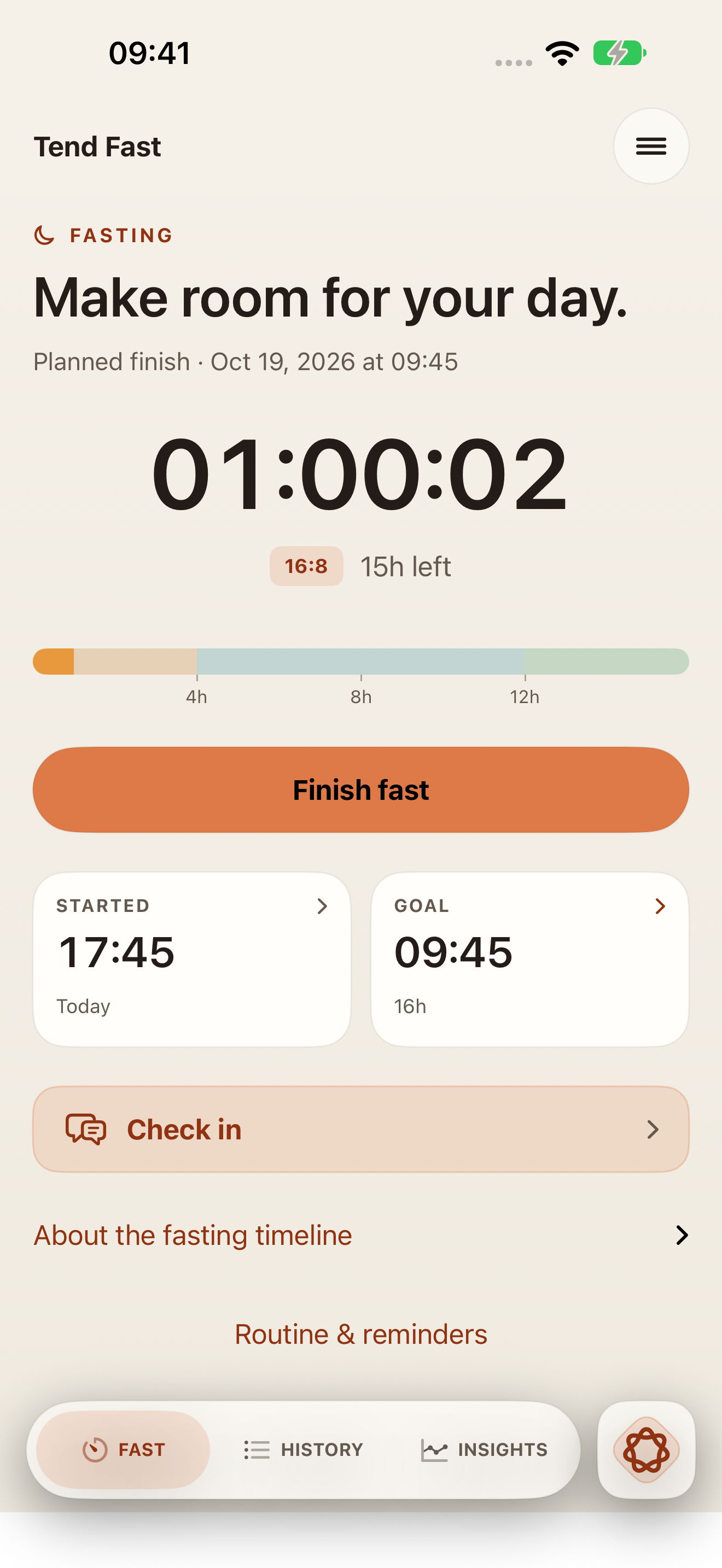
01 / FASTING
Set the start time and your goal.
Start now or record when you began. Adjust your goal, switch between elapsed and remaining time, and end the fast whenever you choose.
iPhone & iPad · English & French
Track your fasting and eating windows, note how each fast felt, and review them alongside sleep and activity. Optional Apple Health and Oura connections bring that wider context into Tend Fast.
Free · Available on the App Store
Choose a color to bring its screen to the front.
Insights
How did your fast feel? How have you been sleeping and moving? Insights brings your fasting records together with available sleep and activity data, so you can see more than a timer.
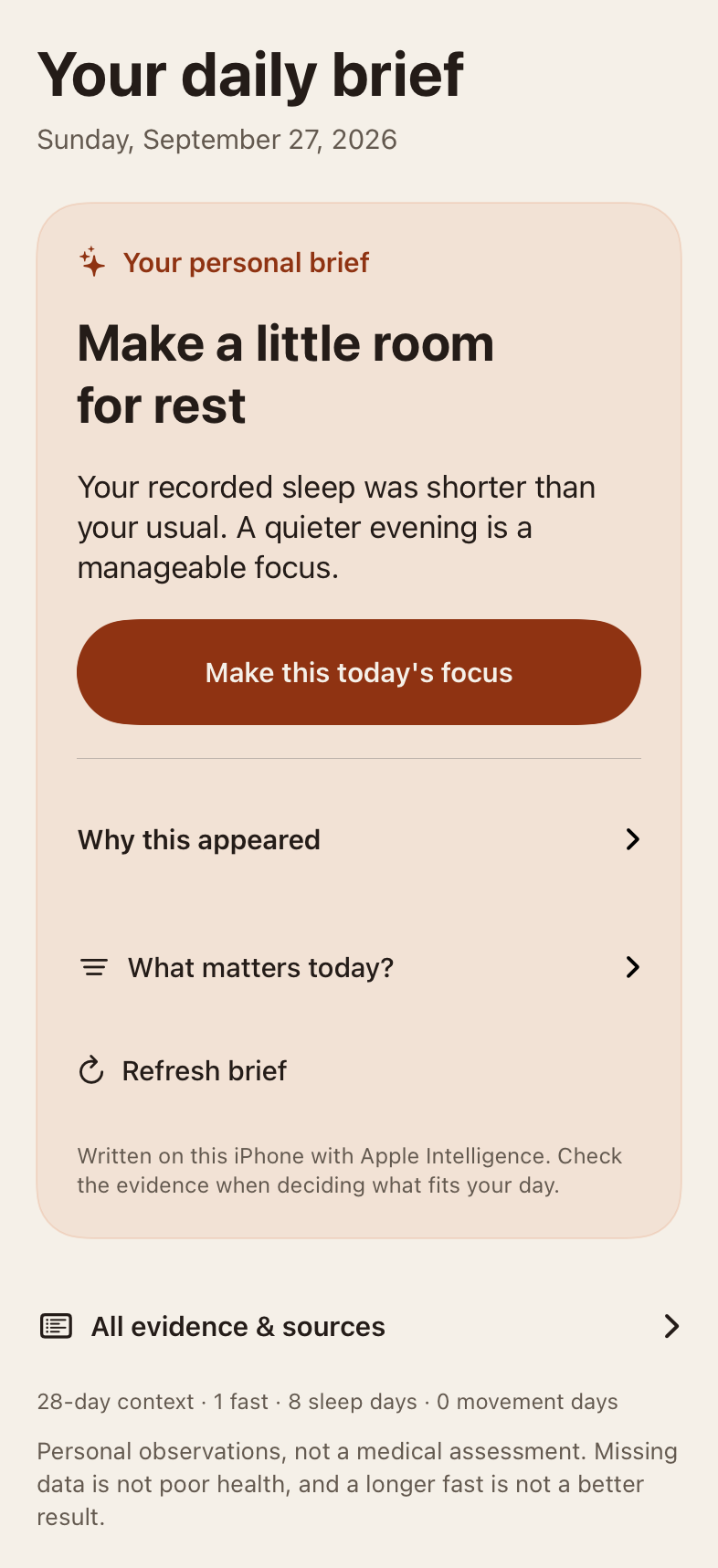
Apple Intelligence puts the app’s checked observations into a short, readable brief. It explains the priority for your day and the proposed next step, using on-device models. No Tend Fast server or cloud AI processes the brief.
AI-written briefs require a compatible iPhone with iOS 27 or later, Apple Intelligence enabled, and a downloaded model that supports the app’s language. Checked observations and next steps remain available without AI. Generated text can make mistakes; these are personal observations, not medical advice.
Fasting and eating timers
See elapsed or remaining time during your fast, then follow the eating window between daily fasts. You decide when to finish a fast and when to begin the next one.
01 / FASTING
Start now or record when you began. Adjust your goal, switch between elapsed and remaining time, and end the fast whenever you choose.
02 / EATING
For a fasting goal shorter than 24 hours, the eating timer starts at the recorded finish time. Its target is 24 hours minus that goal: a 16-hour goal gives an 8-hour eating window.
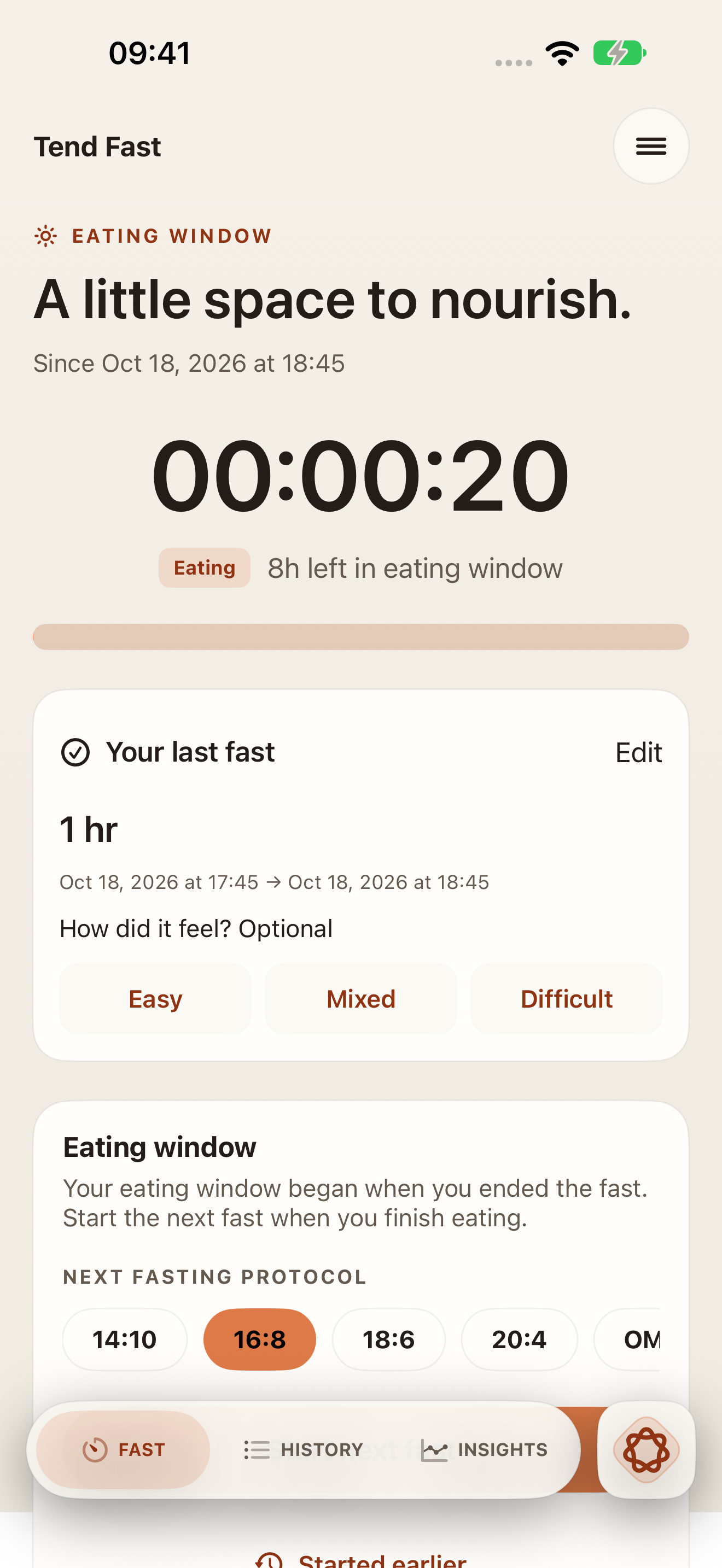
The 16-hour example explains the timer, not a recommended schedule. Tend Fast never starts or ends a fast automatically and does not detect meals.
Planning and history
Choose days and start times, add optional reminders and quiet hours, or skip a planned day. Your schedule does not start a fast for you.
Add a past fast, edit its times, record how you felt, and add a note. Export your records whenever you choose.
Widgets show fasting and eating-window timing. Live Activities show an active fast. The app supports Dynamic Type, VoiceOver, and light or dark appearance.
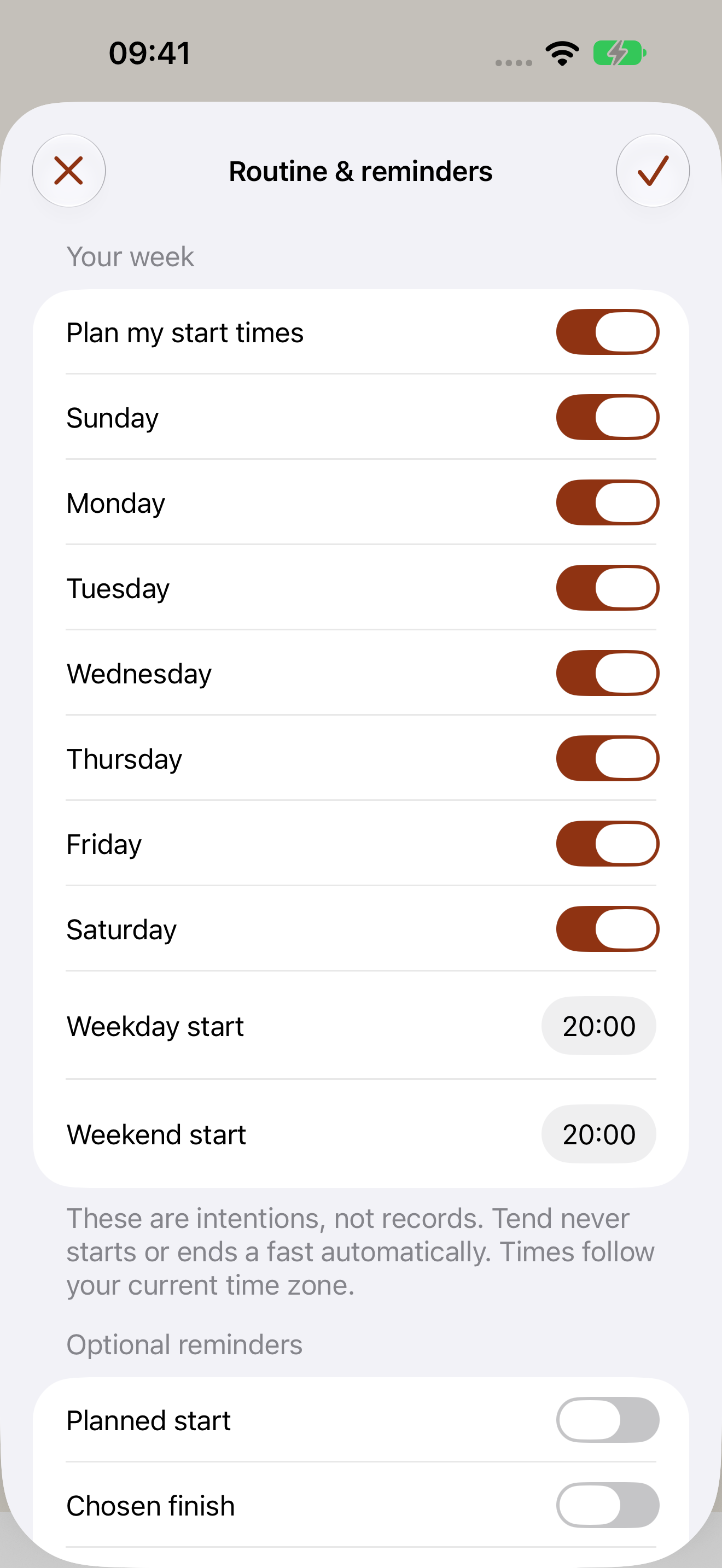
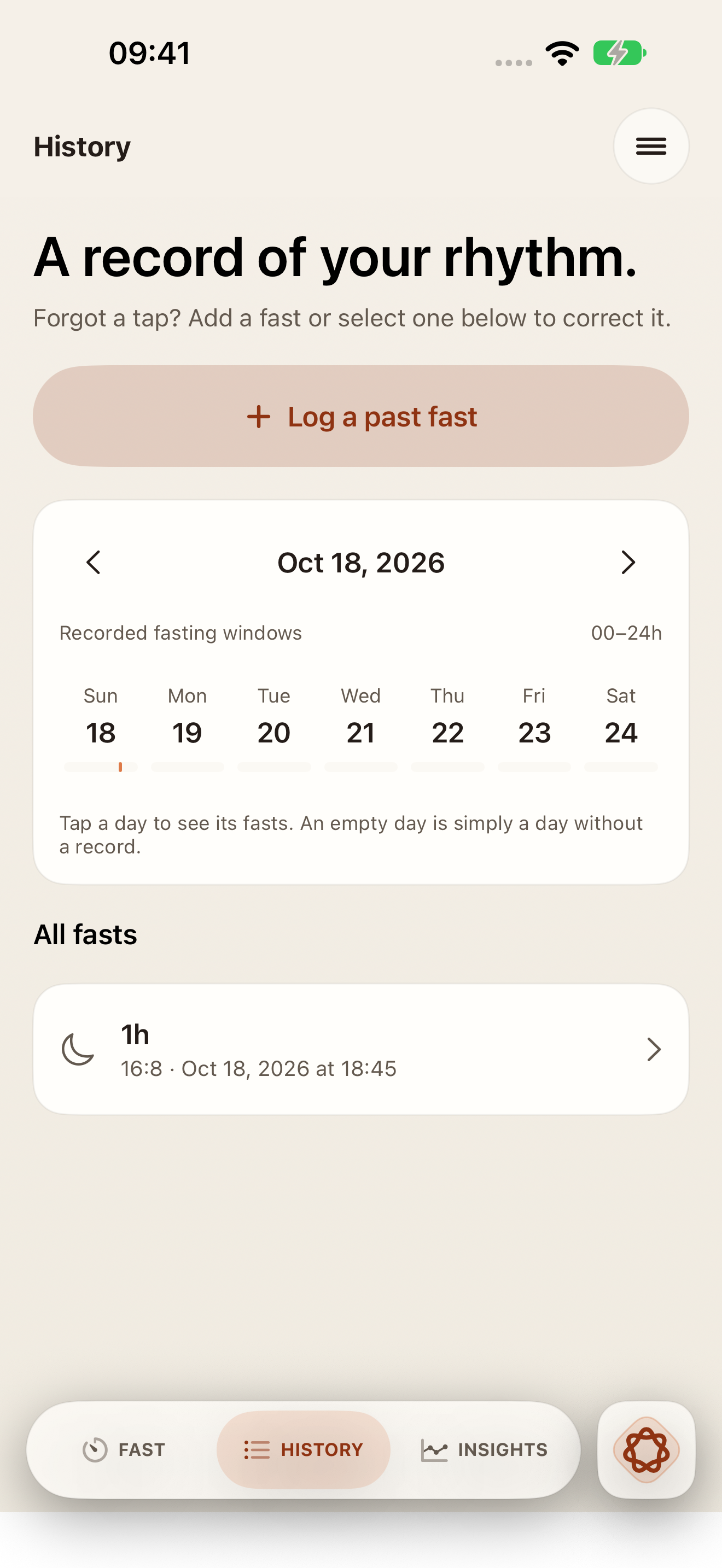
Actual app screens with example records.
Privacy
Your fasting history, notes, check-ins, and conversations are stored locally on your device. Tend Fast does not upload them to a company server.
Apple Health and Oura are optional. Choose permissions and disconnect sources in Settings. Your Oura access token is kept in the iOS Keychain.
Available AI features use Apple’s on-device models. Tend Fast has no ads, third-party analytics SDKs, or cross-app tracking.
Exports and backups are under your control. Deleting local fasting records does not delete exported copies, backups, or records held by Apple Health or Oura.
Support
Find answers about the timers, health connections, and your records, or email Cleardis directly.
Email support
support@cleardis.comInclude your app version, device model, and iOS version. Please do not email health records, passwords, or Oura access tokens.
When you finish a fast with a goal shorter than 24 hours, the eating timer starts at the recorded finish time. Its target is 24 hours minus your fasting goal: a 16-hour goal gives an 8-hour window. This describes the calculation, not a recommended schedule. Start your next fast yourself; the app does not detect meals or start a fast automatically.
Yes. Adjust the start time on the fasting screen. In History, add a past fast or edit an existing record, including its times, how you felt, and a note.
No Tend Fast account is needed. The timers and history work without Oura, Apple Health, or Apple Intelligence. If you choose Oura, sign in to your own Oura account and approve the requested access. The connection depends on Oura’s service and app availability.
Open Settings in Tend Fast to connect or disconnect optional sources. You can also change Apple Health permissions in the Health app or iOS Settings. Tend Fast reads authorized records; it does not write to Apple Health.
Use the export and local-data controls in Tend Fast Settings. Deleting local fasting data does not remove your Apple Health or Oura records, exported copies, or backups you manage separately. Appearance and protocol choices are kept.
Tend Fast works on iPhone and iPad running iOS 26 or iPadOS 26 or later, in English and French. AI-written briefs need a compatible iPhone with iOS 27 or later, Apple Intelligence enabled, and a downloaded model supporting the app’s language. Checked observations and next steps remain available without AI. Generated text can make mistakes.
No. Tend Fast is an adult general-wellness and personal tracking tool, not a medical device. Fasting is not appropriate for everyone. If you have questions about whether fasting is suitable for you, consult a healthcare professional. Stop if you feel unwell.
English and French · iOS 26 or iPadOS 26 and later
Free · Available on the App Store